Finding Paths Between ROIs
For analysis purposes, you can define the connectivity of the strongest path computed on selected image data between two regions of interest.
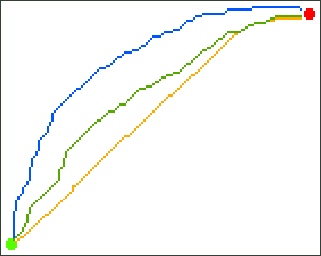
Path ROIs computed with varying geometrical biases
 How to Compute a Path ROI
- Define the start and end nodes as regions of interest.
- Create a mask ROI to contain the path, recommended (see Creating Mask ROIs).
- Right-click the image data on which you want to compute the path and then choose Find Path ROI Between ROIs in the pop-up menu.
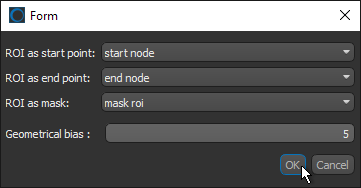
- Choose the starting point ROI and end point ROI in the dialog.
- Choose an ROI as the mask, if available.
- Select a geometrical bias.
- Click OK the compute the path.
The new path ROI appears in the Data Properties and Settings panel.


